Your first day in heap.
A ten-minute walkthrough of the whole app. heap. is one native binary — no account, no server, no browser. Everything you create lives on your machine.
Keyboard-first throughout. The full shortcut list is in HOTKEYS.md; the essentials appear inline below.
1. Launch & the layout
On first run heap. seeds an Example profile so nothing is empty. The window has three regions: the side rail (view switcher, left), the main view (center), and the calendar + people column (right).
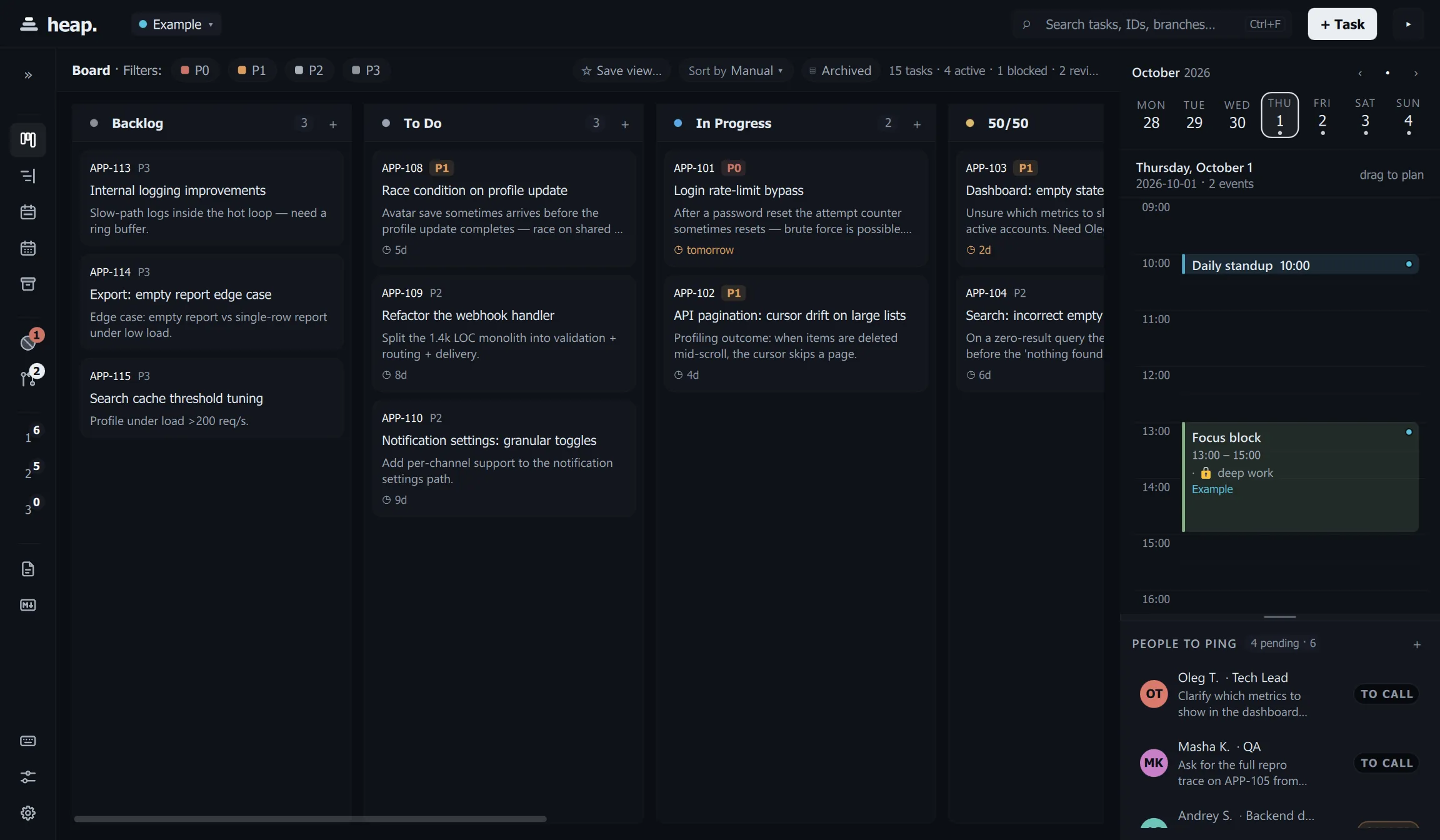
Switch views with Ctrl+1…8, in side-rail order: Board, Timeline,
Week, Month, Archive, Docs, Notes, Settings. Hover a
rail icon to see its shortcut.
2. Capture a task in under two seconds
Press Ctrl+Shift+Space for Quick-capture, type a line, hit Enter. The
popup previews what it parsed (date chip, title) before you commit.
It works from any app. When heap. is not the focused window, the hotkey
brings up only the capture line, over whatever you are working in. The main
window stays minimized, in the tray or behind your editor. Esc puts it away.
Clicking elsewhere does too, except for a quick note that already has text in
it: that one waits for Enter or Esc. Ctrl+Shift+N does the same for a
quick note.
After saving, heap. tells you what it made: a system notification when you captured from another app, a toast when heap. was in front. For example:
Meeting added to the calendar
“call with @lena”
Tomorrow, Thu 1 Oct, 16:00–16:30
With: Lena
Note: pricing
Also a task in “To Do”
Clicking the notification opens the task.
Quick-capture syntax
Everything is optional and order-independent, in English and Russian.
What it is
| You type | heap. does |
|---|---|
fix login race | task in the active profile’s To Do |
APP-231 fix login race | the ticket key becomes the task’s id (and leaves the title) |
pay invoice // net-30, portal is slow | text after // becomes the task description |
review PR @andrey @lena | keeps the @mentions and links them to matching people |
urgent fix prod / p1 fix prod / fix prod !! | sets the priority: p0–p3, !! (P1), !!! (P0), urgent/asap/срочно (P1), critical/blocker (P0), не срочно (P3) |
fix login #backend #auth | adds the labels backend and auth (and they leave the title); #42 stays text |
ticket: rotate keys / задача: … | the leading marker says what it is and leaves the title |
When
| You type | heap. does |
|---|---|
ship v1 tomorrow / ship v1 завтра 14:00 | a deadline: the date, and the time when given |
report by friday / отчёт к пятнице / до понедельника | a deadline on that day |
tomorrow morning, tonight, in the evening, завтра утром, вечером | a time from the part of the day (morning 9:00, afternoon 15:00, evening 19:00, tonight 20:00) |
call mom at 5, lunch at noon, к 18:00 | a time with no day is its next occurrence: today if it is still ahead, else tomorrow |
every weekday, every monday, по будням, каждый будний день | a repeating task; a time that has passed today starts at the next occurrence |
every month on the 15th, monthly, каждый месяц, каждое 25 число | a monthly task |
in 2 days, через 3 дня, через полчаса, next week, на следующей неделе, end of month | relative dates (next week is its Monday) |
Return adds the task and closes; Ctrl+Return adds it and stays open for the
next one. A line that is only a date (tomorrow) says so instead of doing
nothing.
Where it lands
| You type | heap. does |
|---|---|
standup 10:00 / дейли в 10:00 / планёрка 9:30 | a Standup event |
1:1 with @anna thursday 12:00 | a 1:1 event, with Anna as an attendee |
sync with the backend 15:00 / синк | a Team sync event |
call with @lena 4pm / созвон 15:00-15:30 / retro, demo, interview, встреча | a one-off meeting (No type), honouring a time range |
focus refactor parser 10:00 | a focus block on the calendar |
встреча с дизайнером (no time) | a task only; the notification says it is not on the calendar |
bug …, task …, задача: подготовить синк | stays a pure to-do, never put on the calendar |
ping @viktor about the release / напиши @viktor про релиз | a contact ping in the People column, not the board |
A meeting also creates a task linked to it. Russian words match in any case:
созвона, встрече and синке work as well as созвон, встреча and
синк.
Other date forms: friday, пятница, May 22, 22.05, 14:00,
12:00-13:00.
Prefer a full form? Ctrl+N opens the task editor with every field.
3. Work the board
- Drag cards between status columns; the color of each column is editable.
- Cards show a priority chip (P0–P3), a branch tag, a deadline, and a scheduled-time pill when a focus block exists.
- Multi-select:
Ctrl+Aselects everything visible; then move, archive, orDel(undoable for 5 s).Escclears the selection. - Toggle Archived in the filter bar to see auto-archived done tasks.
4. See it by time
- Timeline (
Ctrl+2) buckets tasks into overdue / today / tomorrow / this week / later, with a show-done toggle.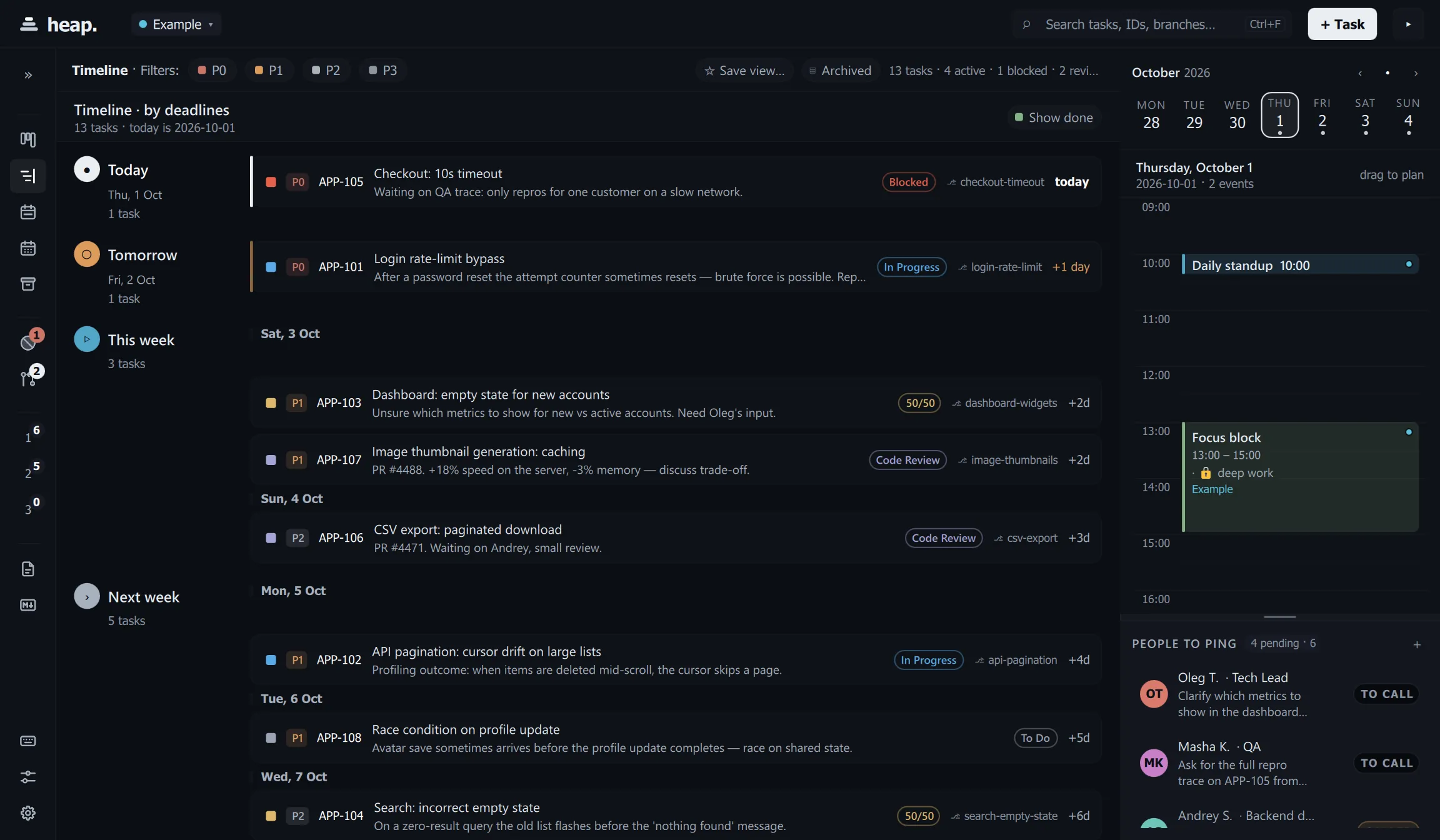
- Week (
Ctrl+3) is a 7-day grid — drag, resize, and move events across days; all-day deadline chips sit on top.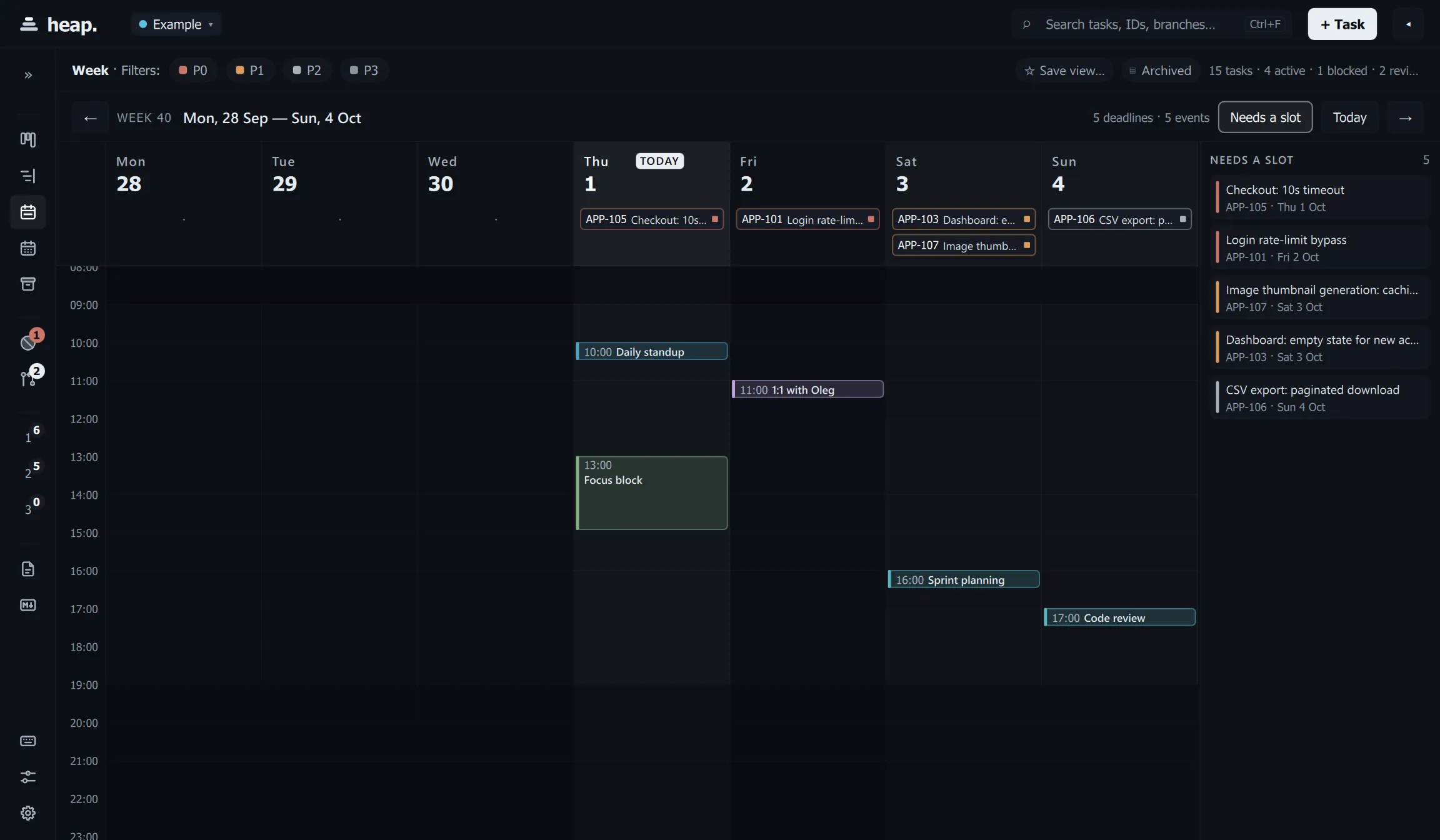
- The day calendar (right column) lets you drag on empty space to create an
event, resize from either edge, and drop a task onto it to schedule a focus
block. Overlapping events sit side-by-side. Week, Month and Settings open
with the column folded, since they are a calendar or have nothing to plan
against;
Ctrl+\brings it back.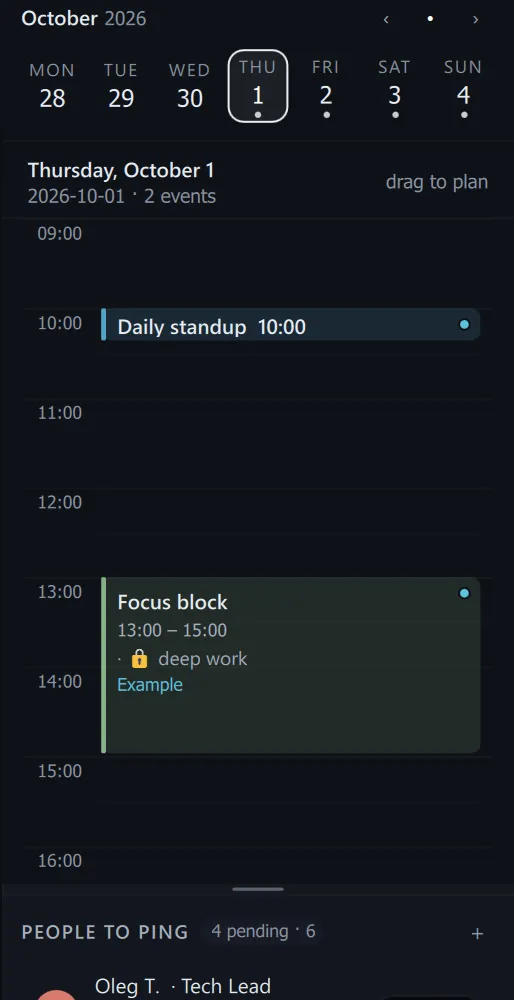
5. Docs & Notes
-
Docs (
Ctrl+6): sections, custom fields, a syntax-highlighted snippet editor, and contact cards.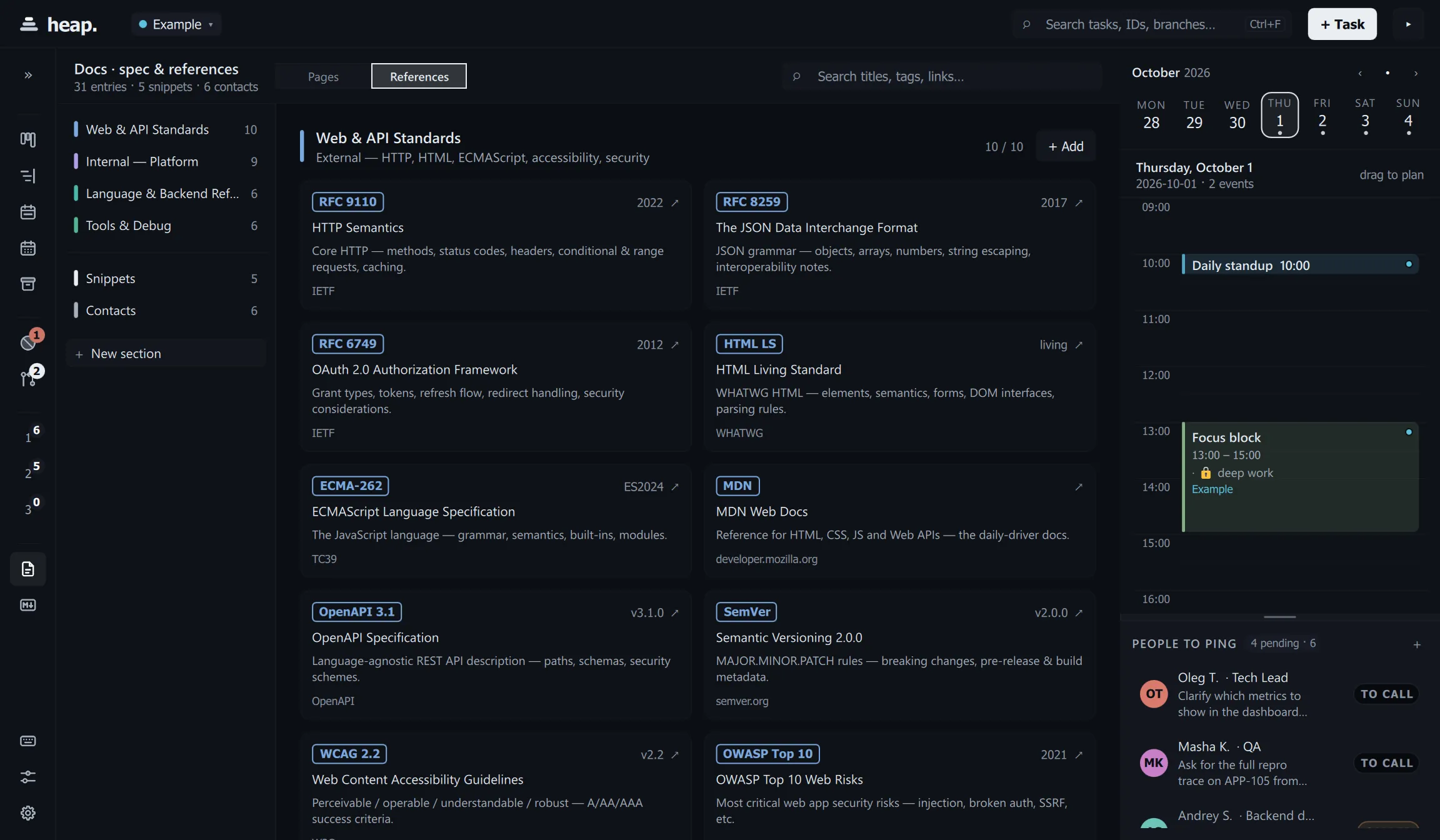
-
Notes (
Ctrl+7): a per-profile markdown canvas with@peopleand#ticketautocomplete.Ctrl+Shift+Nappends a quick note from anywhere.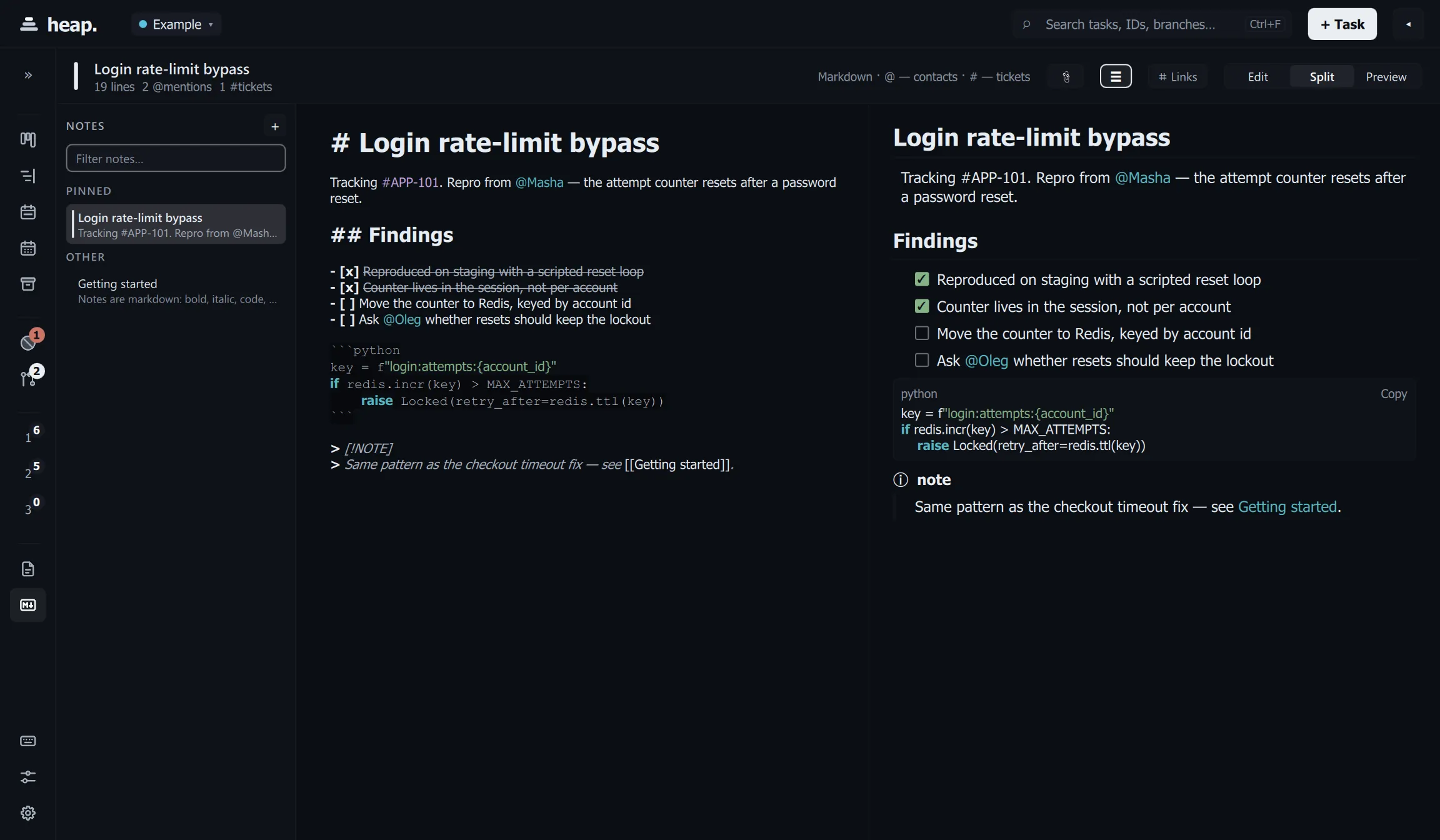
Write in full markdown: headings, nested lists, task lists, tables, fenced code with syntax highlighting, block quotes, footnotes, and callouts such as
> [!WARNING] Mind the migration.Ctrl+Shift+Mcycles edit → split → preview; in split the two panes scroll together, clicking a rendered block puts the cursor on the line that produced it, and ticking a checkbox in the preview rewrites exactly one character of the source — undoable like any other edit. The formatting keys are in HOTKEYS.md.Searching (
Ctrl+K) finds notes by section rather than as one blob, so a hit reads asNotes › Release › Windowsand opens at that heading.Images in a note render from disk. A remote image (
https://…) is shown as a link you can choose to follow rather than being fetched, because heap makes no network requests you did not ask for.
6. Profiles
A profile is a feature-scoped workspace: its own tasks, people, statuses,
docs and notes. Create one from the profile pill in the top bar, cycle with
Ctrl+] / Ctrl+[, and export the active profile to Markdown with
Ctrl+Shift+E. Full JSON import/export lives in Settings → Data — see
DATA.md.
7. The search box is a query box
Ctrl+F focuses the header search. Typing words searches the obvious things —
title, id, description, branch, and for a mirrored issue also its tracker key,
labels, assignee, project and milestone. Typing field:value filters instead:
| Clause | Means |
|---|---|
status:blocked | one status, or status:todo,prog for several — by id or by the column’s name: status:"Code Review", status:in-progress |
priority:P0,P1 | any of these priorities |
deadline:<friday / due:<friday | before a date. < <= > >= and a bare date all work |
due:today, due:overdue, due:week | due today, overdue (and not done), due by Sunday |
deadline:7d | offsets too: 3d, 2w, 1m — and deadline:none for unscheduled |
tag:infra / #infra | any of the task’s labels |
mention:@ada | the assignee, or an @name in the title or description |
is:open, is:done, is:archived, is:overdue, is:recurring | the task’s state |
-status:done, -#infra, -draft | anything, negated |
priority:P0 OR status:blocked | either side (| works too) |
Clauses combine with AND, and mix freely with ordinary words:
status:blocked priority:P0 login is the blocked P0 tasks whose text mentions
login. Dates understand what the task editor understands, so deadline:<friday
and deadline:<2026-09-24 are both fine. A typo — an unknown field, column or
priority, an unreadable date — drops that clause rather than emptying the
board, and the search box shows a ? badge naming what it could not read. The
magnifier turns accent-coloured when what you typed is being read as a query.
This works the same on the board, the timeline, the week and month calendars and the archive.
8. Command palette & tweaks
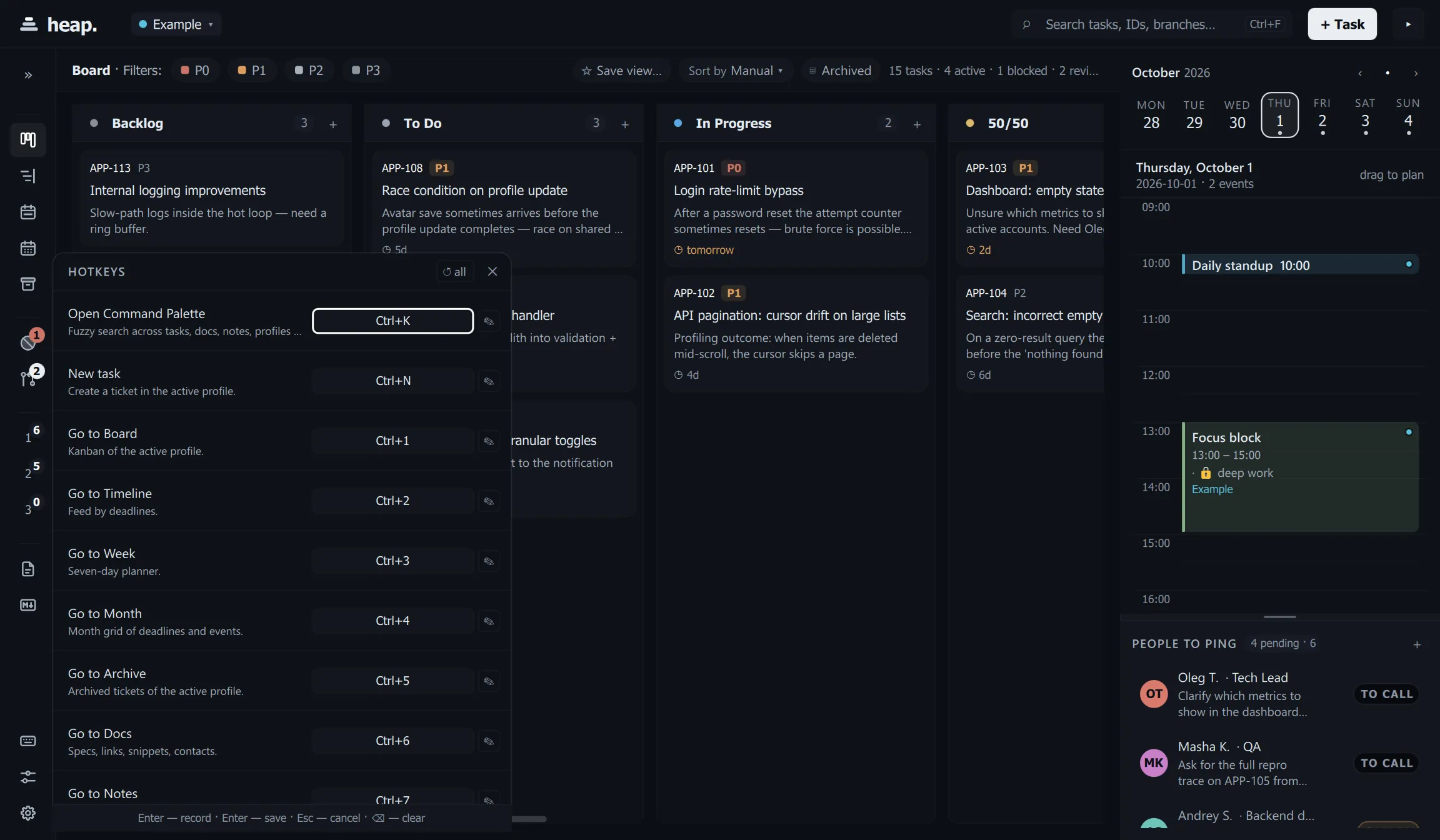
Ctrl+K(orCtrl+P) — fuzzy search across tasks, docs, snippets, contacts, people and profiles. Enter jumps straight to the item.Ctrl+,— Tweaks: theme, density, accent, reduced motion, high contrast.Ctrl+/— rebind any shortcut inline.
9. It nudges you
A background tick (every 60 s) auto-archives long-done tasks, flags tasks that have been blocked too long, and fires deadline, meeting and standup reminders through the system tray. During quiet hours (Settings → Notifications) a reminder is held and delivered when the quiet window ends; a meeting or the standup is an appointment and still reminds. A reminder is never repeated, not even after a restart.
That’s the whole surface. Next: skim HOTKEYS.md once, then just live in Quick-capture.